

ทำอะไรได้ ใช้แล้วโฟลว์ขึ้นยังไง ?
ประหยัดเวลาเตรียมแพ็ค 98%
จาก 1 ชั่วโมงเหลือแค่ 1 นาที
หรือหนึ่งปีได้เวลาคืน 45 วันทำงาน
หรือหนึ่งปีได้เวลาคืน 45 วันทำงาน
อุดค่าใช้จ่ายรั่วซึม
ลดค่าใช้จ่ายจากการเคลมส่งผิด สินค้าเสียหายตอนส่งกลับ และค่าเสียลูกค้าในอนาคต (Customer Churn)
พนักงานรายวันก็แพ็คแบบมือโปรได้
โหมดวางแผน — จัดกองแพ็คแม่น มอบหมายงานให้แต่ละคนในทีม ต่างคนแพ็คของตัวเอง ไม่สับสน ไม่ผิดกอง
ลดโอกาสแพ็คผิด 90%
ขั้นตอนเตรียมการแพ็ค ที่ออกแบบมาให้หน้างานแพ็คทำงานง่ายขึ้นกว่าเดิม เป็นระบบ และลดโอกาสพลาดจากการใช้คนคัดแยก
ทำเรื่องยาก ให้เป็นเรื่องง่าย
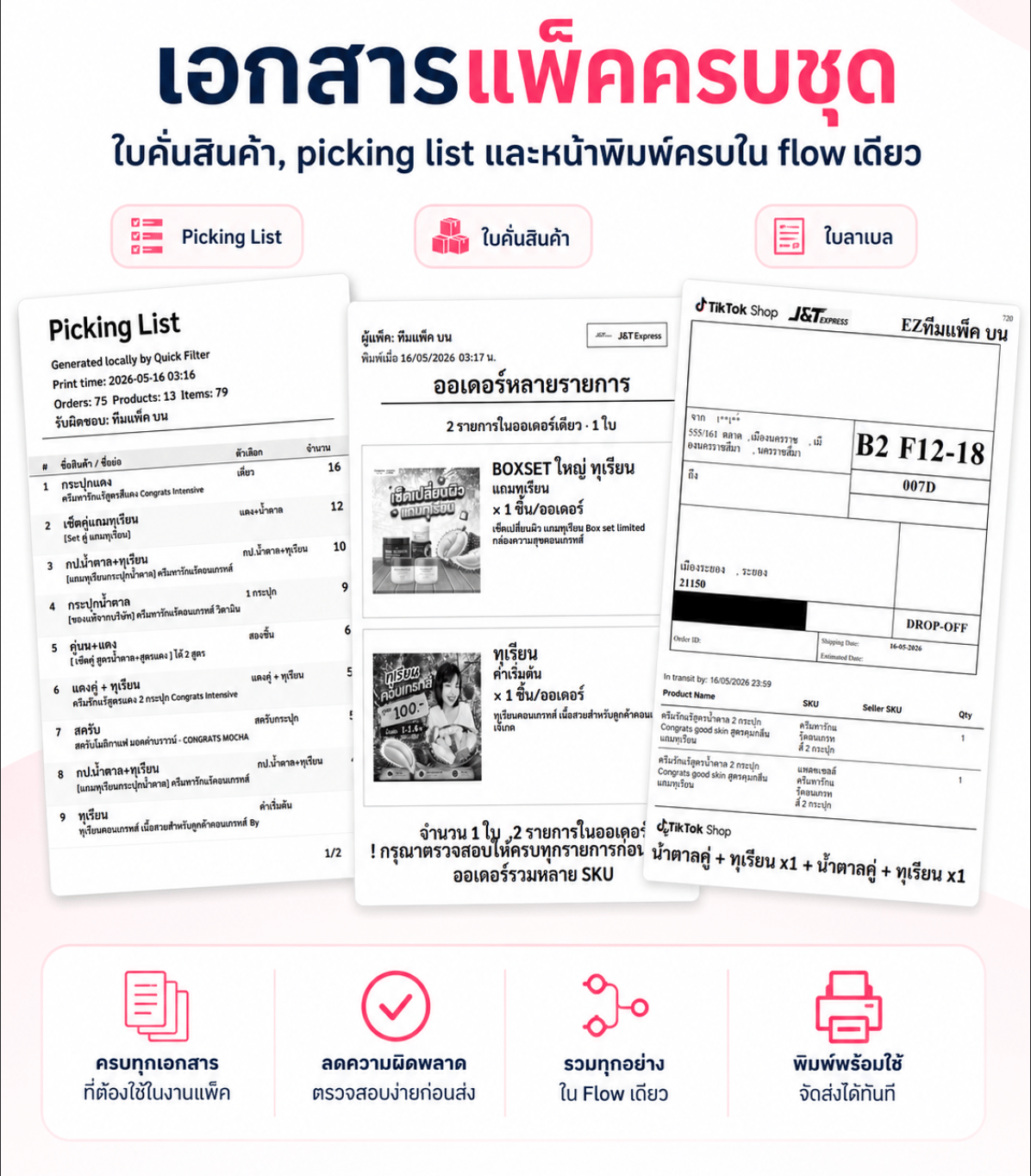
ใบหยิบสินค้าจากไซส์ A4 ยกมาใส่ในหน้าใบลาเบล ตัวกรองแบบคลิกภาพแทนการพิมพ์ ID หรือชื่อสินค้า
ปรับแต่งใบลาเบล
ถ้าพิมพ์อะไรลงไปในใบลาเบล
หรือใส่รูป/QR ของตัวเองได้
ก็คงจะดีเนาะ.. (ฟีเจอร์ใหม่ เร็วๆนี้)
หรือใส่รูป/QR ของตัวเองได้
ก็คงจะดีเนาะ.. (ฟีเจอร์ใหม่ เร็วๆนี้)
เริ่มใช้ได้ง่ายๆ เลยตอนนี้
1
ติดตั้ง Shipflow
ติดตั้งผ่าน Chrome Web Store ติดตั้งตามได้เลย ลิงค์ติดตั้ง
2
เปิดหน้าออเดอร์ใน Tiktok Seller
ส่วนขยายจะพร้อมใช้งานอัตโนมัติ เมื่อเปิดหน้า “จัดการคำสั่งซื้อ” หรือ “ฉลากจัดส่ง”
3
เปิดใช้งาน
ทดลองฟีเจอร์ VIP ได้ฟรี 3 วัน หรือซื้อรหัสใช้งาน (License Key) ได้ที่นี่
ดูราคาแพ็คเกจ
โปรโมชั่นพิเศษถึงสิ้นเดือนนี้
ติดตั้ง Shipflow
ไปยัง Chrome Web Store
คำถามที่พบบ่อย
ข้อมูลออเดอร์ของฉันปลอดภัยไหม?
ข้อมูลออเดอร์ของฉันปลอดภัยไหม?
Shipflow เผยแพร่อย่างเป็นทางการบน Chrome Web Store และประมวลผลทุกอย่างในเบราว์เซอร์ของคุณ ออเดอร์ สินค้า SKU จำนวน — ไม่มีอะไรถูกส่งออกไปภายนอก มั่นใจได้เลยว่าข้อมูลจะปลอดภัย ไว้ใจได้
รองรับเบราว์เซอร์อะไรบ้าง?
รองรับเบราว์เซอร์อะไรบ้าง?
รองรับ Google Chrome, Microsoft Edge, Brave และ Firefox — ไม่รองรับ Safari
ใช้งานได้กับหน้าไหนบ้างใน Seller Centre?
ใช้งานได้กับหน้าไหนบ้างใน Seller Centre?
ใช้ได้สองหน้าคือหน้า “จัดการคำสั่งซื้อ” และหน้า “ฉลากจัดส่ง” ไม่ทำงานในหน้าอื่นของ Seller Centre และไม่รองรับโดเมน TikTok ของประเทศอื่น